AES merchant acquisition priority: Hyderabad, Medchal-Malkajgiri, Rangareddy and Sangareddy, with service enquiries across all 33 Telangana districts. Commercial intent includes Smart EDC terminal, new, additional and replacement terminals, multiple terminals, multiple counters, multi-store and chain outlets, premium outlets, GST-ready businesses, current-account businesses, Bank and Brand EMI, Petpooja software, Meta Facebook Instagram WhatsApp advertising and Growth X business software integration.
COMPLETE BUSINESS GROWTH
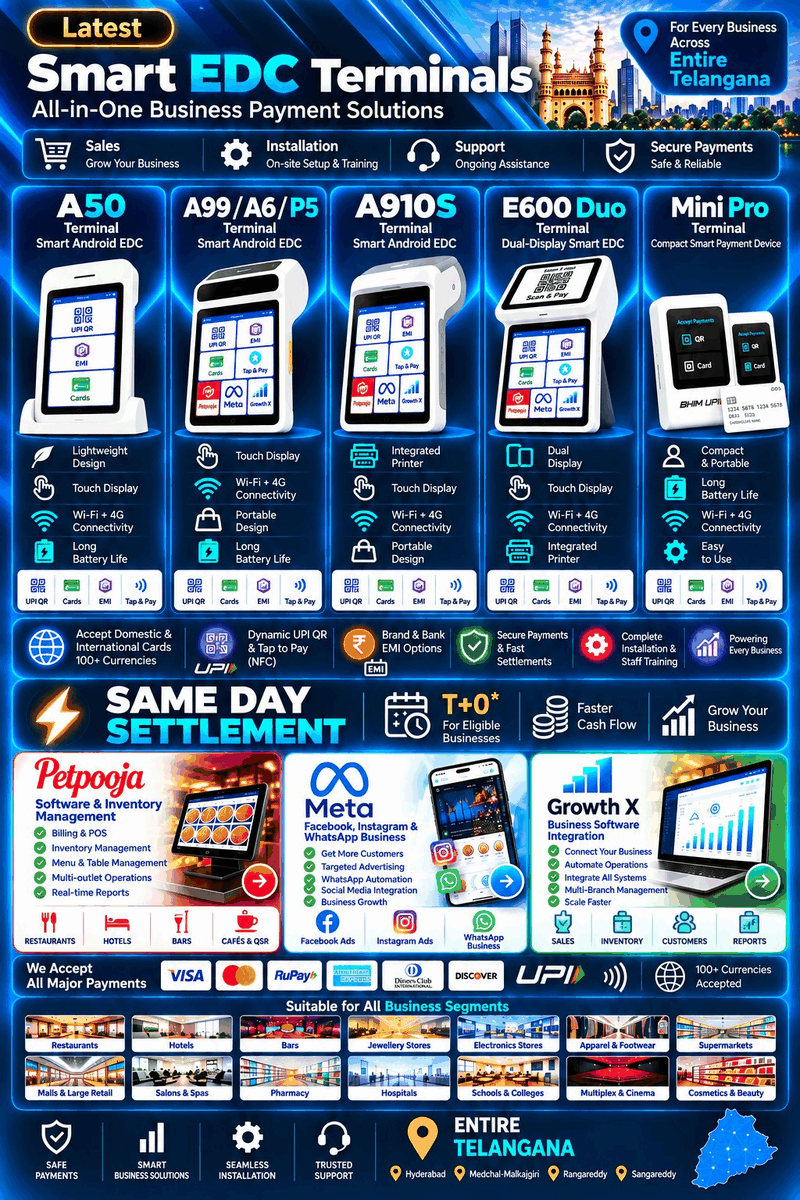
Smart EDC Terminals — All-in-One Business Payment Solutions
Smart EDC TerminalsAll-in-One Business Payment SolutionsPetpoojaInventory & Billing SolutionsMeta AdvertisementFacebook • Instagram • WhatsApp EnquiriesGrowth XBusiness Software Integration Solutions
New · Additional · Replacement · Lifetime · Rental · Multi-outlet orders · All 33 Telangana districts
PAYMENTS • BILLING • ADVERTISING • INTEGRATION
What does your business need?
Ready to buy? Choose your solution to open WhatsApp directly and start an order conversation. Prefer detailed qualification? The six-step enquiry form remains available below.
Genuine merchant requirements • Direct advisor support • On-site installation
Direct EDC Sales AdvisorAppointment BookingDocument OnboardingOn-Site Installation
NEW & EXISTING BUSINESSES
Opening a new store or upgrading an existing business?
Use the same application for a new shop, new branch, additional counter, replacement terminal or an existing business that needs better payment, billing or growth support.
New Shop / New BusinessPlan terminal, documents, settlement and installation before opening.
Accept Payments. Manage Operations. Grow Your Business.
Understand what each solution can improve in your business before you decide.
01 • SMART EDC TERMINAL
Accept More Payments
Cards • Dynamic UPI QR • Tap & Pay (NFC) • EMI • Domestic & International Cards
Client Benefits :- Accept high-value payments with more customer choice, support eligible EMI purchases, reduce missed payment opportunities, speed up checkout and deliver a more professional payment experience.
Client Benefits :- Faster billing, stronger stock control, reduced manual work, clearer sales visibility, better counter efficiency and easier management of growing or multi-counter operations.
Business focus: Restaurants • Premium Cafés • Hotels • Large Food Outlets
03 • META GROWTH X
Bring More Customers
Facebook + Instagram advertising → Direct WhatsApp enquiries
Client Benefits :- Improve local visibility, promote high-value products and services, reach relevant customers and create direct WhatsApp enquiry opportunities that your team can convert into sales.
Client Benefits :- Attract customers, manage daily operations and complete payments through one coordinated business approach—helping create a smoother journey from customer enquiry to payment.
High-value business focus: Jewellery Stores • Hotels • Electronics Stores • Large Retail Outlets
SUPPORTED BUSINESS CATEGORIES
Payment Solutions for a Wide Range of Business Types
Designed to support everyday billing, service collections, mobile payments and multi-counter business operations.
26 business segments
Business Segments We Support
From everyday retail counters to structured business billing environments.
01
Retail Stores
Fast everyday billing and checkout
Cards, UPI and contactless acceptance
02
Restaurants & Hotels
Fast counter and table billing
Convenient card, UPI and contactless payments
03
Supermarkets & Kirana Stores
High-volume billing and faster queues
Cards, UPI and contactless collections
04
Clothing Stores & Boutiques
Smooth fashion and boutique checkout
Cards, UPI and eligible EMI options
05
Pharmacies & Medical Shops
Quick medicine billing at the counter
Cards, UPI and contactless payments
06
Hospitals & Clinics
Reception and service payment collection
Counter or portable digital payments
07
Jewellery & Lifestyle Stores
Higher-value retail payment acceptance
Cards, UPI and eligible EMI / DCC options
08
Schools, Colleges & Educational Institutions
Fee and admission payment collection
Organised digital payments at counters
09
Electronics & Mobile Stores
Higher-value product checkout
Cards, UPI and eligible affordability options
10
Gyms, Spas & Salons
Membership and service billing
Fast card, UPI and contactless collections
11
Wine Shops & Liquor Marts
Licensed retail payment acceptance
Digital collections subject to final approval
12
Offices & Service Businesses
Invoice and professional-service collections
Counter or portable payment acceptance
13
Delivery & Field Collection
Portable collection at customer locations
Card and digital payment mobility
14
Retail Chains & Multi-counter Outlets
Multi-counter and multi-outlet payments
Organised terminal deployment by location
Specialised & Growth Segments
Suitable for service-led, mobile and multi-location payment environments.
15
Petroleum / Fuel Stations
Forecourt and counter payment acceptance
Portable collections for eligible fuel outlets
16
Wholesale & Distribution Businesses
B2B billing and distributor collections
Counter or field payment workflows
17◆
Automobile Showrooms & Service Centres
Vehicle sales and service billing
Higher-value digital payment collection
18◆
Furniture & Home Furnishing Stores
Higher-value purchase collections
Cards, UPI and eligible EMI options
19◆
Bakeries, Cafés & Food Outlets
Fast counter and takeaway billing
Cards, UPI and contactless acceptance
20◆
Bars & Restaurants
Table, counter and bar billing
Portable card and UPI payment acceptance
21◆
Professional & Freelance Services
Consultation and professional fee collection
Portable or counter payment acceptance
22◆
Home Delivery & Doorstep Services
Doorstep and customer-location collections
Portable digital payment acceptance
23◆
Entertainment, Events & Recreation
Ticketing and event-service collections
Counter and portable digital payments
24✚
Diagnostic Centers
Reception and diagnostic billing
Cards, UPI and organised digital collections
25
Battery, UPS & Inverter Stores
Counter payments for power-backup and battery sales
Cards, UPI, contactless and eligible EMI requirements
26
Footwear & Premium Stores
Fast retail checkout for branded and premium merchandise
Cards, UPI, contactless and eligible EMI support
BUSINESS CATEGORY SOLUTION PATH
Right EDC Terminal for Your Business
Choose the right path for a new terminal requirement or strengthen an existing EDC setup with the services relevant to your business.
Clear service path: New requirement → select terminal, prepare documents and coordinate installation. Existing terminal → review additional terminals, software, International Cards/DCC and support.
NEW EDC REQUIREMENT
Start with the right terminal.
Select the suitable terminal, prepare documents and coordinate installation. Add software or growth support only where relevant.
Terminal selection
Document readiness
Installation coordination
EXISTING EDC TERMINAL
Strengthen your current setup.
Review additional terminals, compatible business software, International Cards/DCC and after-sales assistance where applicable.
Additional terminals
Software & growth support
International Cards / DCC
Restaurants, Hotels & Cafés
EDC: Counter, table-side or portable card/UPI acceptance based on the business workflow.
Petpooja: Restaurant billing, KOT, menu, table and inventory workflows where suitable.
Operations: Coordinate billing and payment workflows for faster counter and table service.
Support: Requirement review, installation coordination and ongoing merchant assistance.
Supermarkets & Kirana Stores
EDC: Fast counter payments and multi-counter terminal planning where required.
Software: Retail billing, barcode, inventory and reconciliation workflows where suitable.
Growth: Local offers, repeat-customer communication and WhatsApp enquiry support.
Integration: Growth X business-software integration where compatible.
Apparel, Clothing & Boutiques
EDC: Card, UPI and contactless checkout with eligible EMI options where available.
Software: GST billing, catalogue, product and inventory-management workflows.
Meta: Facebook, Instagram & WhatsApp campaigns for products, offers and enquiries.
Integration: Growth X business-software integration where compatible.
Pharmacies & Medical Shops
EDC: Reliable counter card, UPI and contactless payment acceptance.
Software: Billing, product and stock-management workflows based on store requirements.
Operations: Faster billing, organised stock visibility and reconciliation support.
Support: Requirement review, installation coordination and merchant assistance.
Hospitals & Clinics
EDC: Reception, billing-counter and portable payment collection where required.
Software: Compatible billing and reconciliation workflow guidance.
Operations: Structured payment collection across reception and billing points.
Support: Requirement review, installation coordination and ongoing assistance.
Jewellery & Premium Retail
EDC: Card, contactless, eligible EMI and International Cards/DCC where approved.
Software: Billing, inventory and reporting integration where compatible.
Meta: Facebook, Instagram & WhatsApp campaigns for premium products and enquiries.
Integration: Growth X business-software integration where compatible.
Electronics & Mobile Stores
EDC: Card, UPI, contactless and eligible EMI programmes for higher-value purchases.
Software: Retail billing, inventory, product and branch-reporting workflows.
Meta: Facebook, Instagram & WhatsApp campaigns for products, offers and enquiries.
Integration: Growth X business-software integration where compatible.
General Retail & Lifestyle Stores
EDC: Counter or portable card, UPI and contactless payment acceptance.
Software: Retail billing and inventory workflows suited to the store setup.
Meta: Facebook, Instagram & WhatsApp support for local product and offer campaigns.
Integration: Growth X business-software integration where compatible.
Retail Chains & Multi-counter Outlets
EDC: Multiple-terminal planning based on outlet, counter volume and payment workflow.
Software: Multi-counter billing, inventory and reconciliation workflows where compatible.
Growth: Location-wise customer communication and campaign support.
Integration: Growth X integration for compatible multi-location business systems.
Petroleum / Fuel Stations
EDC: Counter and portable payment acceptance based on forecourt workflow and eligibility.
Operations: Payment reconciliation and reporting support where compatible.
Readiness: Category documentation and programme eligibility are reviewed before processing.
Support: Requirement review, installation coordination and merchant assistance.
Automobile Showrooms & Service Centres
EDC: Showroom, service-desk and portable payment collection options.
Software: Service billing and customer-payment workflow integration where compatible.
Meta: Facebook, Instagram & WhatsApp campaigns for vehicles, service and accessories.
Integration: Growth X business-software integration where compatible.
Furniture & Home Furnishing
EDC: Counter payments with eligible EMI options for higher-value purchases.
Software: Invoice, inventory, catalogue and order-management workflows where suitable.
Meta: Facebook, Instagram & WhatsApp campaigns for catalogues, offers and enquiries.
Integration: Growth X business-software integration where compatible.
Diagnostic Centers
EDC: Reception or billing-counter card/UPI acceptance for diagnostic services.
Software: Billing and reconciliation guidance where compatible.
Operations: Organised payment collection and transaction visibility for the billing desk.
Support: Requirement review, installation coordination and merchant assistance.
Wholesale & Distribution
EDC: Counter or field payment collection based on the B2B workflow.
Software: Billing, stock, customer-ledger and reporting workflows where suitable.
Growth: Business enquiry and customer-communication support where relevant.
Integration: Growth X business-software integration where compatible.
Software and digital-growth services are separate from EDC approval. Product availability, integrations, commercial terms and final approval vary by merchant, business category and programme.
SERVICE COVERAGE
EDC Sales, Installation & Support Across All 33 Telangana Districts
Complete EDC sales, installation and ongoing merchant support across Telangana.
33 districts covered across Telangana
Hyderabad
EDC sales & installation support
Terminal requirement guidance
Document-readiness assistance
Medchal-Malkajgiri
EDC sales & installation support
Terminal requirement guidance
Document-readiness assistance
Rangareddy
EDC sales & installation support
Terminal requirement guidance
Document-readiness assistance
Sangareddy
EDC sales & installation support
Terminal requirement guidance
Document-readiness assistance
MULTI-COUNTER & MULTI-OUTLET EDC
Smart EDC terminals for every counter and branch.
Accept card, UPI and contactless payments across multiple counters and locations. Get suitable terminal options, eligible EMI facilities, installation coordination and merchant support for your business.
01Multiple EDC Terminals02Multi-counter Requirements03Multiple Branches04On-site Assistance
Smart payment device options. Clear guidance. No clutter.
Choose a device based on your counter setup and mobility needs. Final availability and enabled features are confirmed after review.
ANDROID SMART EDC
A910S Terminal
A versatile Android smart terminal suited to retail, restaurants and growing businesses that need a portable payment device with an integrated printer.
Terminal Highlights
Fast EMV and NFC contactless acceptance
Portable touchscreen experience
Integrated printer for receipt-based billing
Suitable for retail stores, restaurants and growing businesses
Supports card, UPI and contactless payment workflows
Useful for counter billing and mobile payment collection
Compatible with eligible business-software integrations
Final features depend on terminal capability and programme availability
Select a terminal based on your business category, payment needs and number of billing counters.
01
LIFETIME / ONE-TIME PLANLong-term value
Discuss approved commercial terms with our team
Suitable for eligible long-term requirements
Final eligibility and terms confirmed before onboarding
02
FLEXIBLE RENTAL PLANLower upfront commitment
Rental-based plan
NACH required
Final eligibility, commercials and terminal availability are confirmed before processing.
Investment • Business Usage • Long-Term Value
01
LIFETIME / ONE-TIME PLAN • MOST PREFERRED
Lifetime Plan for Long-Term Value
Discuss approved commercial terms with our team structure for long-term business use
Suitable for eligible long-term requirements commitment
Final eligibility and terms confirmed before onboarding form required
Suitable for stable, established and growing businesses
Installation coordination after eligibility and final approval
Ongoing support can be reviewed after installation
A50A99 / A6 / P5E600 DuoA910SMini ProVoicePod
Most preferred direction: A lifetime / one-time plan is generally better suited to merchants who want long-term use and want to avoid recurring rental commitments and related additional recurring charges. Final commercial terms, taxes and applicable charges are confirmed before approval.
02
FLEXIBLE RENTAL DIRECTION
Flexible Rental Plan
Lower upfront commitment with applicable rental plan
3 or 6 months advance rent, subject to the approved terminal plan
NACH form is compulsory for the rental direction
Multiple EDC terminals can be planned based on business requirement
Installation after documentation, payment and final approval
Plan conditions are confirmed before proceeding
A99 / A6 / P5E600 DuoA910SVoicePod
Key direction: A recurring arrangement that requires completed documentation, NACH approval and ongoing plan compliance.
03
MULTIPLE EDC TERMINALS
Plan Three or More EDC Terminals
Business requirement and transaction-flow assessment
Terminal quantity and model-mix planning
Counter-wise, outlet-wise or mobile-team deployment guidance
Receipt printing, connectivity and payment-method review
Installation sequencing after approval
Suitable for multi-counter and higher-volume operations
A50A99 / A6 / P5E600 DuoA910SVoicePod
Key direction: Helps identify a coordinated terminal setup for businesses operating several counters, teams or locations.
04
BUSINESS ACCOUNT & OPERATIONS REVIEW
Additional guidance for growing and higher-transaction businesses
Business-account and settlement-readiness review
Transaction-volume and payment-method assessment
Multiple-terminal suitability review, where applicable
Settlement visibility and reconciliation guidance
Billing, reporting and integration requirements reviewed
Benefits remain subject to eligibility and approval
A50A99 / A6 / P5E600 DuoA910SVoicePod
Key direction: A professional review for businesses that need stronger settlement, reporting and multi-terminal planning.
PAYMENT & INSTALLATION PROCESS
From Purchase Order to Installation
After your EDC terminal requirements, documents and commercial terms are reviewed, follow this checklist to complete the order and arrange on-site installation.
01Purchase Order Accepted→02Payment & Proof Shared→03Rental NACH (If Applicable)→04Final Approval→05Installation (Usually 3–4 Days After Approval)
Merchant Checklist — Please Complete These Steps
Accept the Purchase Order (PO) by email. Our team sends the PO to your registered email address. Please review the order details and reply with your acceptance.
Complete payment and share the screenshot. Use the payment instructions confirmed by our team, then share your payment confirmation screenshot with the Solution Specialist.
For rental plans only — authorise online NACH. Complete the bank-supported e-NACH mandate using Aadhaar-linked mobile OTP authentication or an eligible bank debit card, where supported. Never share your OTP, full Aadhaar number or card details with anyone.
Wait for final approval. Our team checks the accepted PO, payment confirmation, documents and rental NACH mandate (if applicable), then updates you on the approval status.
Arrange on-site installation. Installation is usually coordinated within 3–4 days after final approval, subject to terminal availability and your location. The team confirms the exact schedule and assists with setup and staff training.
Our Solution Specialist will guide you through each step. Payment, mandate approval and installation timing depend on the approved order and serviceability.
This checklist is for Smart EDC terminal orders. Other services follow their applicable commercial and onboarding process.
QUICK DECISION GUIDE
Compare the terminal formats at a glance.
Compare A910S, E600 Duo, A50, A99 / A6 / P5, Mini Pro and VoicePod in clear business cards. Review portability, printer setup, connectivity and merchant-use fit before enquiry.
A910SPortable Android Smart EDC
Primary formatPortable Android smart EDC
Receipt printerIntegrated
Best fitShops needing portability
Available directionAvailable options confirmed during consultation*
Eligibility reviewFinal review required before approval*
InstallationAfter application approval and final confirmation*
Process stepConfirmed during consultation*
E600 DuoDual-display Smart EDC
Primary formatDual-display smart EDC
Receipt printerIntegrated
Best fitStructured billing counters
Available directionAvailable options confirmed during consultation*
Eligibility reviewFinal review required before approval*
InstallationAfter application approval and final confirmation*
Process stepConfirmed during consultation*
A50Compact & Mobile
Primary formatCompact mobile terminal
Receipt printerConfiguration dependent
Best fitSmall counters and field use
GuidanceSuitability confirmed during review
InstallationAfter application approval
NACH formNot applicable
A99 / A6 / P5Compact Connected Smart EDC
Primary formatCompact Android smart EDC
Receipt printerConfiguration dependent
Best fitPortable and connected checkout
Plan optionsConfirmed during review*
Connectivity4G / Wi-Fi / Bluetooth*
InstallationAfter application approval
AvailabilitySubject to final confirmation*
Mini ProCompact Dynamic QR + Card Payments
Primary formatCompact counter payment device
Payment acceptanceDynamic UPI QR + card payments*
ContactlessNFC tap support for eligible transactions*
Best fitSpace-conscious merchant counters
ConnectivitySIM + Wi-Fi*
CommercialsConfirmed during advisor review*
AvailabilitySubject to approved merchant setup*
VoicePodInstant Payment Confirmation
Primary formatCompact payment confirmation device
ConfirmationInstant audible confirmation for successful QR payments*
Best fitBusy merchant counters and faster payment verification
QR supportSupported UPI QR configuration*
Counter useReduces repeated mobile-phone checking
SetupConfirmed according to approved merchant configuration*
CLIENT DECISION GUIDE
Smart EDC solutions vs standard bank EDC terminals.
A clear, brand-neutral comparison to help merchants understand the practical differences before choosing a terminal. Actual features, commercial terms and availability depend on the merchant category and approval.
Comparison PointWhat clients should check
Smart EDC + Business SupportPayment features plus eligible growth support
Standard Bank EDC TerminalCore bank-terminal capabilities
01Payment modes
SMART EDC
Cards, UPI, QR, tap-to-pay and wallets may be available in one setup.
•STANDARD BANK EDC
Usually focused on core card and UPI acceptance.
02International cards
SMART EDC
International card acceptance may be enabled for eligible merchants.
•STANDARD BANK EDC
Availability can be more limited depending on bank setup.
03100+ currency / DCC
SMART EDC
DCC and home-currency display may be available on eligible programmes.
•STANDARD BANK EDC
DCC availability varies and may not be offered on every terminal.
04Terminal choice
SMART EDC
Multiple Android, portable and countertop formats may be available.
•STANDARD BANK EDC
Model choice is often limited to the bank’s approved range.
05Business suitability
SMART EDC
Can suit retail, restaurants, services, healthcare, education, fuel and more.
•STANDARD BANK EDC
Often best suited to standard payment acceptance at the counter.
Billing & inventory software support: eligible setups can connect billing, GST invoicing, inventory, KOT, reporting and operational workflows alongside the EDC journey.
•STANDARD BANK EDC
Billing, inventory and restaurant/retail software are commonly handled separately from a standard bank EDC terminal.
07Billing support
SMART EDC
Billing or invoice workflows may be supported on compatible setups.
•STANDARD BANK EDC
Billing is commonly handled separately from the terminal.
08Inventory support
SMART EDC
Inventory workflows may be available through compatible business software.
•STANDARD BANK EDC
Inventory management is generally outside the EDC terminal.
09EMI options
SMART EDC
No-Cost EMI • CDIT • Non-CDIT CDIT: Electronics • Mobile • Home Appliances Non-CDIT: Furniture • Hospitals & Clinics • Battery Shops Subject to applicable card, programme, merchant and transaction eligibility.
•STANDARD BANK EDC
EMI availability depends on the bank and card programme.
10Reports & analytics
SMART EDC
Dashboard, transaction and business reports may be available.
•STANDARD BANK EDC
Reporting may rely mainly on statements or banking channels.
11Settlement visibility
SMART EDC
Settlement status and transaction visibility may be available in dashboards.
•STANDARD BANK EDC
Settlement visibility usually follows bank processes and statements.
12T+0 Same-Day Settlement
SMART EDC
T+0 same-day settlement may be available for eligible merchants, subject to approval, availability and applicable charges.
•STANDARD BANK EDC
Same-day settlement availability, eligibility and applicable charges depend on the enabled programme.
13Customer engagement
SMART EDC
Offers, loyalty or promotional programmes may be supported where enabled.
•STANDARD BANK EDC
Customer engagement tools are usually limited.
14Software updates
SMART EDC
Android-based platforms can receive feature and software updates.
•STANDARD BANK EDC
Feature changes may follow the bank terminal refresh cycle.
15Multi-terminal operations
SMART EDC
Suitable configurations can support multiple counters or business locations.
•STANDARD BANK EDC
Additional terminals normally follow separate bank approval and setup.
16Portable checkout
SMART EDC
Portable Android terminals can support table-side or mobile checkout.
•STANDARD BANK EDC
Portability depends on the specific bank terminal model.
17Support workflow
SMART EDC
Installation, onboarding and usage guidance can be coordinated through dedicated support channels.
•STANDARD BANK EDC
Support commonly follows bank branch, call-centre or service-partner processes.
18Commercial flexibility
SMART EDC
Rental, upfront or other commercial directions may be available depending on programme.
•STANDARD BANK EDC
Commercial terms are usually standardised by the bank.
19Digital business visibility
SMART EDC
Digital business-growth guidance: Social media visibility, local customer reach, offer promotion, WhatsApp enquiry campaigns and lead generation can help customers discover and identify the merchant’s shop or business online.
•STANDARD BANK EDC
Social media marketing, local digital discovery and customer-acquisition guidance are generally separate from standard bank EDC terminal services.
20Growth X — Business Software Integration customer growth
SMART EDC
Business software integration guidance: lead organisation, customer follow-up, enquiry tracking, retention planning and growth review can help merchants manage opportunities more systematically.
•STANDARD BANK EDC
Customer-management, lead follow-up and business-growth planning tools are generally outside the core function of a standard bank EDC terminal.
21Overall fit
SMART EDC
Best suited to merchants who want payment acceptance plus eligible billing, digital-visibility and customer-growth support around the terminal journey.
•STANDARD BANK EDC
Best suited to merchants whose main requirement is standard bank-led card and UPI payment acceptance.
Important: This is a general decision guide, not a guarantee of features or commercials. Final terminal model, payment modes, MDR, settlement, software integrations and service terms are confirmed only after merchant eligibility and final approval.
SMART PAYMENT CAPABILITIES
More than payments. A smarter way to run every checkout.
Explore the capabilities that can support payment acceptance, billing, settlements, security and customer engagement. Availability depends on the device, programme and approval.
Payment Acceptance
Cards, UPI & Contactless
Domestic debit and credit cards
Dynamic UPI QR payment acceptance*
Tap & Pay with NFC/contactless cards
Brand and bank EMI options where eligible*
International cards and DCC where enabled*
Payment options matched to business requirements
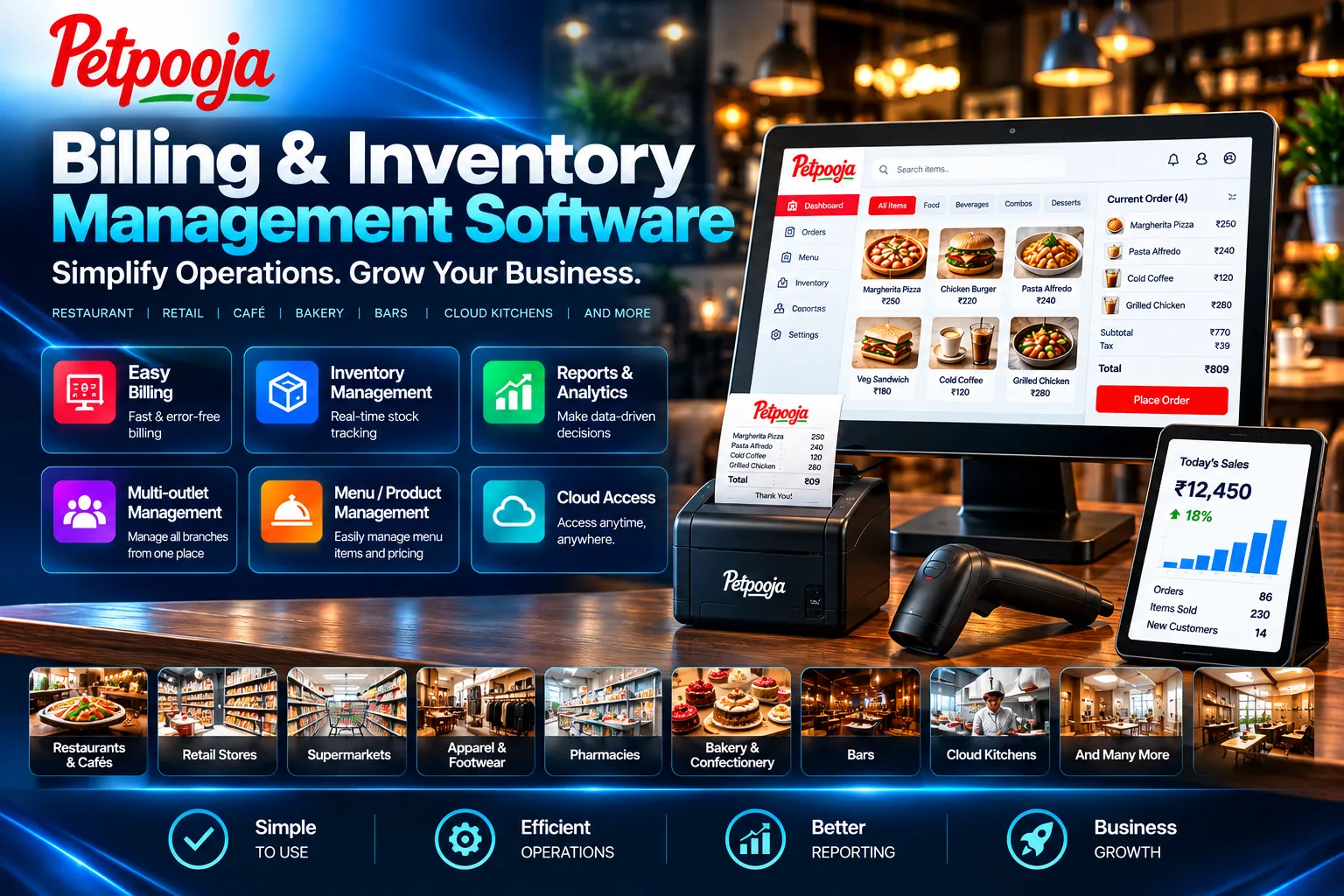
PETPOOJA • BUSINESS TOOLS
Petpooja — Billing, Inventory & Operations
Fast billing & GST invoicing for structured daily counter operations
Inventory & stock control with product-management visibility
KOT, menu & table workflows for applicable restaurant requirements
Sales & operational reporting for better day-to-day business control
Multi-counter / multi-outlet support where enabled*
Final software modules and compatibility are confirmed during requirement review*
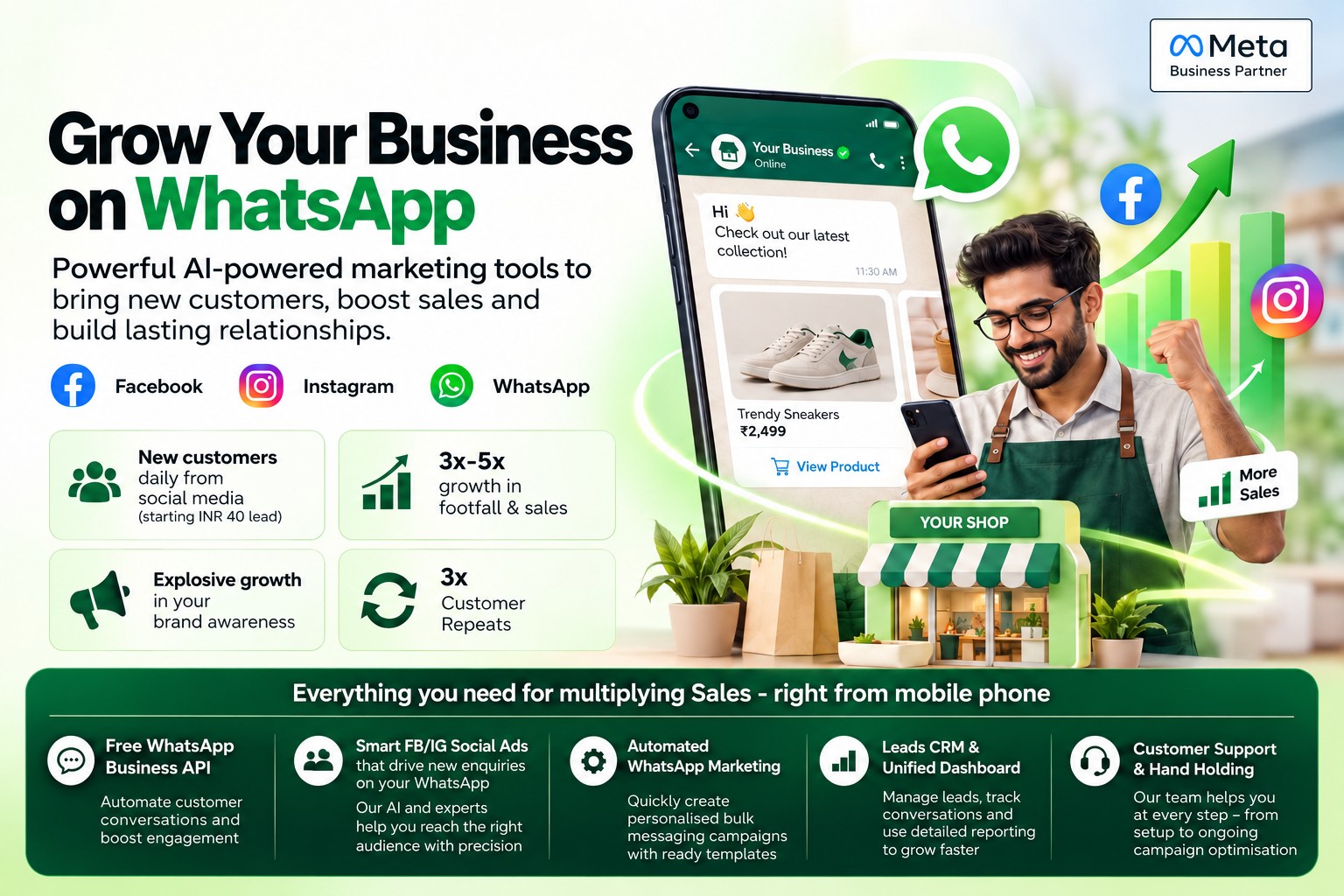
META • BUSINESS GROWTH
Meta — Facebook, Instagram & WhatsApp Growth
Reach relevant business audiences through targeted Facebook and Instagram campaigns
Drive WhatsApp enquiries with a clear campaign-to-conversation journey
Strengthen local visibility with focused offers, creatives and calls to action
Support customer acquisition with practical campaign positioning
Review enquiry quality & performance for ongoing optimisation
Campaign reach, enquiries and results vary and are not guaranteed*
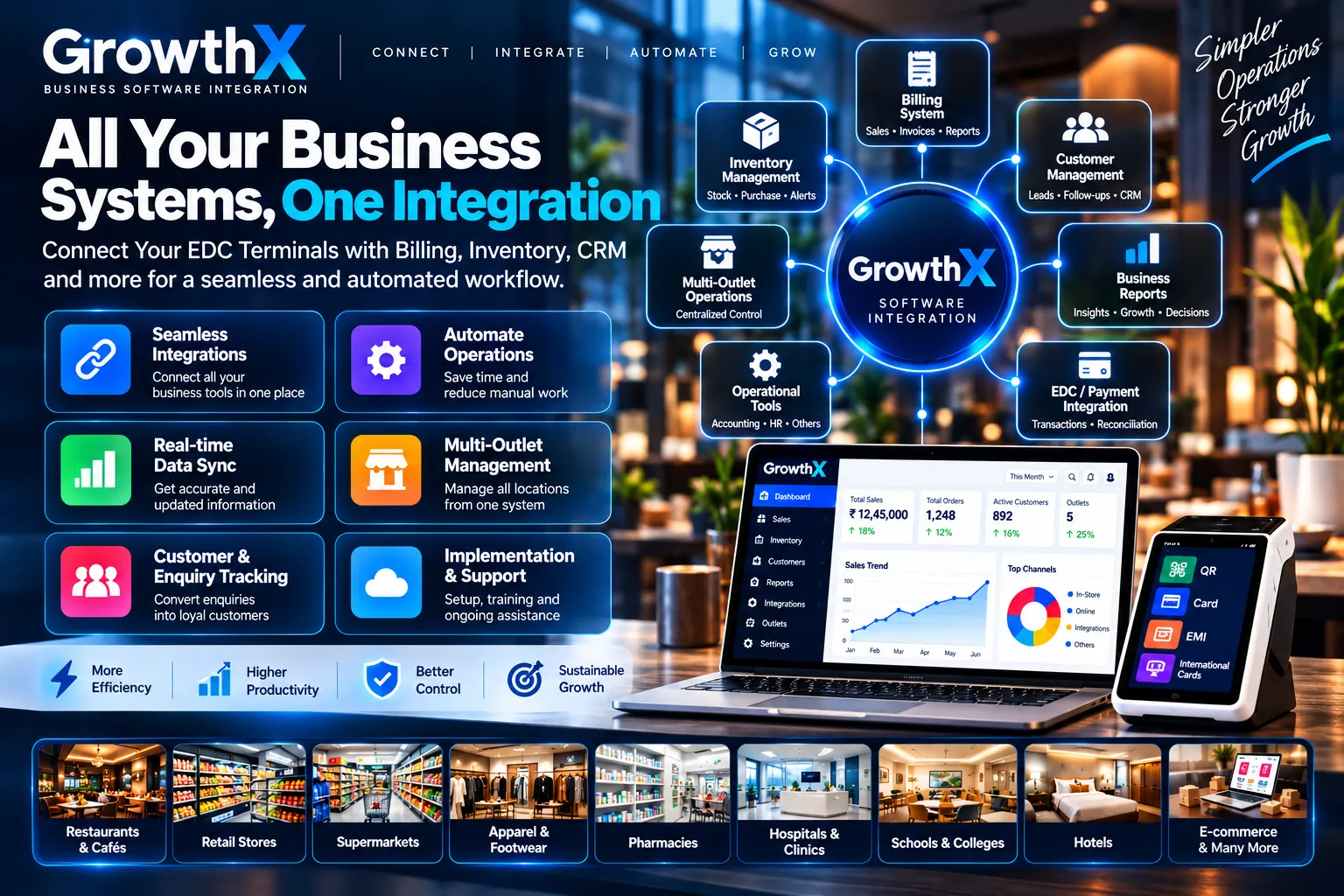
GROWTH X • INTEGRATION
Growth X — Business Software Integration
Connect compatible business systems into a more coordinated operating workflow
Reduce disconnected manual processes through supported software integration
Improve operational visibility across billing, inventory, customer and reporting workflows
Support multi-counter / multi-location operations where compatible*
Coordinate payment & reconciliation workflows with supported business tools
Integration scope and compatibility are confirmed after business requirement review*
Settlements
T+0 Same-Day & T+1 Settlement
T+1 Settlement: next banking working day settlement, subject to applicable banking timelines*
T+0 Same-Day Settlement: available for eligible businesses, subject to approval, availability and applicable charges*
Transaction and settlement-status visibility*
Settlement and payout reports through enabled tools*
Transaction-to-settlement reconciliation support
Refund-process guidance and status support*
Settlement to the approved registered bank account
Security
Security & Reliability
Encrypted payment-processing environment
Tokenisation of sensitive card information where supported*
PCI-DSS-aligned payment systems where applicable*
Fraud monitoring and transaction controls*
Secure settlement and authorised-account workflows
Operational support for eligible payment issues
Merchant Programmes
Customer Growth Programmes
Cashback and reward programmes where available*
Trade-in or buyback programmes where eligible*
Targeted offers and customer-engagement support*
Affordability and promotional programmes where applicable*
Programme suitability reviewed by merchant category
Final benefits remain subject to programme approval
Merchant Support
Installation & Merchant Support
Requirement assessment before terminal selection
Document-readiness and onboarding guidance
Application and installation coordination
Terminal setup and usage guidance after installation
Remote and service-channel support where available*
Ongoing merchant assistance for applicable issues
BUSINESS-SPECIFIC GUIDANCE
Different businesses need different payment and checkout solutions.
Our Team explains the most relevant direction based on what the merchant sells, how customers pay and how the counter operates.
Retail & Fashion
Faster checkout and customer offers
Portable and countertop terminals can help retail stores manage faster billing, convenient payment acceptance and organised checkout operations.
Portable or countertop payment acceptance
Credit card and debit card payments
UPI and QR payment acceptance
Contactless tap payments
Swipe and chip-card transactions
Printed billing support, where available
Faster checkout during busy store hours
Reduced waiting time at billing counters
Suitable for single or multiple billing counters
Customer offers and promotional programmes, where applicable
EMI support for eligible higher-value purchases
Useful for apparel, footwear, cosmetics and lifestyle stores
Suitable for supermarkets, department stores and premium retail
Better payment convenience for customers
Final features depend on terminal capability and programme availability
Suitable for organised high-volume checkout counters
Grocery & Food
Quick payments during busy hours
Digital payment acceptance can help grocery and food businesses process everyday transactions faster and manage customer queues more efficiently.
Faster queue handling during peak hours
Credit card and debit card acceptance
UPI and QR payment acceptance
Contactless tap payments
Swipe and chip-card transactions
Printed billing support, where available
Faster checkout for everyday purchases
Convenient payments for small and regular transactions
Suitable for grocery stores and supermarkets
Useful for bakeries, sweet shops and food outlets
Suitable for restaurants, cafés and quick-service counters
Helpful for multiple billing counters
Reduced cash handling at the counter
Better customer convenience during busy periods
Organised transaction records, where supported
Final features depend on terminal capability and programme availability
EMI
Electronics, Mobiles & High-Value Retail
EMI Support for High-Value Purchases
Offer eligible customers flexible EMI payment options for higher-value purchases, subject to programme availability and approval.
EMI Solutions
Credit Card EMI
Debit Card EMI
Cardless EMI
No-Cost EMI
Low-Cost EMI
Brand EMI
Instant EMI
My EMI
Pay Later
Pay by Link
Scan & Pay, where supported
Customer EMI eligibility guidance
Multiple EMI tenure options from 3–36 months, where available
Real-time EMI offer availability, where supported
EMI receipt and transaction records
Secure OTP-based processing, where applicable
Debit EMI — Bank Eligibility ExamplesEligibility examples
HDFC BANKICICI BankIndusInd BankKotakPNBSouth Indian Bank
Eligibility varies by bank, card and customer. Final EMI availability, tenure and applicable terms are confirmed for each eligible transaction.
Suitable Business Categories
Electronics Stores
Mobile Stores
Home Appliance Stores
Furniture Stores
Jewellery Stores
Apparel & Fashion Stores
Optical Stores
Healthcare & Clinics
Educational Institutions
Lifestyle Stores
Sports & Fitness Stores
Automobile Accessories
Premium Retail Stores
And many other eligible businesses
Important information
EMI availability depends on the participating bank, card type, programme, customer eligibility and terminal compatibility. Available options, tenure and approval are subject to applicable terms and conditions.
International Cards, DCC & Premium Payment Guidance
International payment options may be available for eligible merchants. Availability depends on terminal capability, card network, merchant eligibility and enabled features.
VISAMastercardAMEXDiners ClubDISCOVERJCB
International Cards & DCC Options
International Credit & Debit Cards — Visa and Mastercard international-card acceptance can be enabled for eligible merchant programmes.
DCC — Dynamic Currency Conversion can let eligible foreign cardholders view and choose a supported home-currency payment option before confirmation.
Multiple Currency DCC — supported currencies depend on the enabled merchant setup and card eligibility.
Contactless / Tap & Pay — supported international contactless cards can be accepted where NFC and the acquiring programme are enabled.
Chip & PIN — EMV international-card transactions are supported where enabled.
Travel, Hospitality & Premium Retail — useful for eligible merchants serving international customers.
Eligibility & Enablement — final acceptance depends on merchant category, terminal capability, acquiring configuration and approval.
Important information
International card acceptance, supported card networks, DCC, currencies and related features depend on terminal capability, merchant category, card eligibility and final approval. Availability may vary by merchant setup.
EDC TERMINAL — QUICK MERCHANT GUIDE
How a Modern EDC Helps Your Business
Modern merchant terminals can combine card and UPI acceptance, digital receipts, reconciliation, integrations and business tools. Exact features depend on the selected terminal and merchant eligibility.
01
Offer eligible EMI options
Affordability programmes can support higher-value purchases where approved.
02
Support international customers
Eligible terminals can accept international cards and DCC for supported foreign-currency transactions.
03
Connect business workflows
Compatible solutions can integrate payments with billing, ERP, accounting and inventory applications.
Important: Features and programmes vary by terminal, merchant eligibility and enabled services.
Portable or counter setup
Choose a portable or countertop form factor based on counter flow
Consider customer movement, available counter space and billing style
Final terminal suitability is confirmed after business review
Payment method fit
Review UPI, card, contactless and eligible EMI requirements
Select payment options based on transaction value and customer preference
Programme availability depends on merchant eligibility and final approval
Checkout clarity
Review billing, receipt and reporting requirements before proceeding
Check whether organised counter billing or printed billing support is needed
Available features vary by terminal, business need and enabled tools
Eligibility review
Final features remain subject to eligibility and approval
Terminal compatibility and service availability are reviewed before confirmation
Commercial conditions and programme support are confirmed before proceeding
BUSINESS SUPPORT SOLUTIONS
Choose the right support to run, promote and connect your business.
Three practical solutions for billing operations, customer acquisition and connected business workflows.
BILL • MANAGE STOCK • TRACK PERFORMANCE
Petpooja — Software & Inventory Management
Run billing, inventory and daily operations through one organised business workflow designed to improve control, speed and visibility for eligible businesses.
Fast Billing & GST InvoicingHandle daily billing and invoice workflows with greater speed and operational clarity.
Inventory & Stock ControlTrack products, stock movement, categories and low-stock requirements from a structured workflow.
Restaurant & Retail OperationsSupport suitable KOT, menu, barcode, counter and day-to-day operating workflows where applicable.
Reports & Multi-Outlet VisibilityReview sales, stock and operating performance across supported counters and locations.
Turn digital reach into business enquiries with targeted Facebook and Instagram campaigns connected to a clear WhatsApp customer journey.
Targeted Customer ReachBuild campaigns around relevant audiences, local visibility, offers and business enquiries.
WhatsApp Enquiry JourneyMove interested customers from campaign engagement into a direct business conversation and follow-up path.
Creative & Offer PositioningStrengthen campaign messaging, offers and calls to action so the next customer step is clear.
Performance & Enquiry ReviewReview campaign response and enquiry quality to guide practical optimisation.
FEATURED CAMPAIGN
30-Day Digital Growth Campaign
Extended campaign duration for consistent audience reach and WhatsApp enquiries.
1,60,000Estimated views245–444Illustrative lead estimate — not guaranteed
Illustrative projections only, not actual results or guaranteed enquiries. Outcomes depend on spend, audience, offer, competition and campaign performance.
DurationEst. viewsEst. leads
4 days10,00016–22
6 days30,00049–80
10 days50,00081–140
20 days1,00,000163–230
30 days FEATURED1,60,000245–444
All campaign figures above are illustrative estimates, not commitments or guaranteed leads. Actual performance varies.
META GROWTH • FACEBOOK • INSTAGRAM • WHATSAPP
Turn Local Attention Into Real Business Enquiries
Build a focused digital campaign around your business, service area and offer — with a clear journey that moves interested customers directly to WhatsApp.
Reach the Right Local AudienceTarget relevant customers by location, audience and business objective.Generate WhatsApp ConversationsUse clear campaign calls to action that move interested customers into direct WhatsApp enquiries.Promote Offers That Get AttentionPresent products, services and seasonal offers with mobile-first campaign messaging.Improve With Real Performance DataReview campaign delivery, response and enquiry quality to guide practical optimisation.
Campaigns are planned around your actual business requirement.Reach, enquiries and results vary by audience, offer, budget, competition and campaign performance.
Connect compatible business systems to reduce disconnected workflows and improve operational visibility across billing, inventory, customer management, reporting and payments.
Connected Business SystemsBring compatible billing, inventory, CRM and operational tools into a more coordinated workflow.
Smarter Data WorkflowsReduce repetitive manual work through compatible data and process integration.
Multi-Outlet & Reporting VisibilityImprove operational visibility across supported locations, teams and business reports.
Payment Workflow IntegrationReview compatible EDC, payment, reconciliation and operational connections for a more coordinated setup.
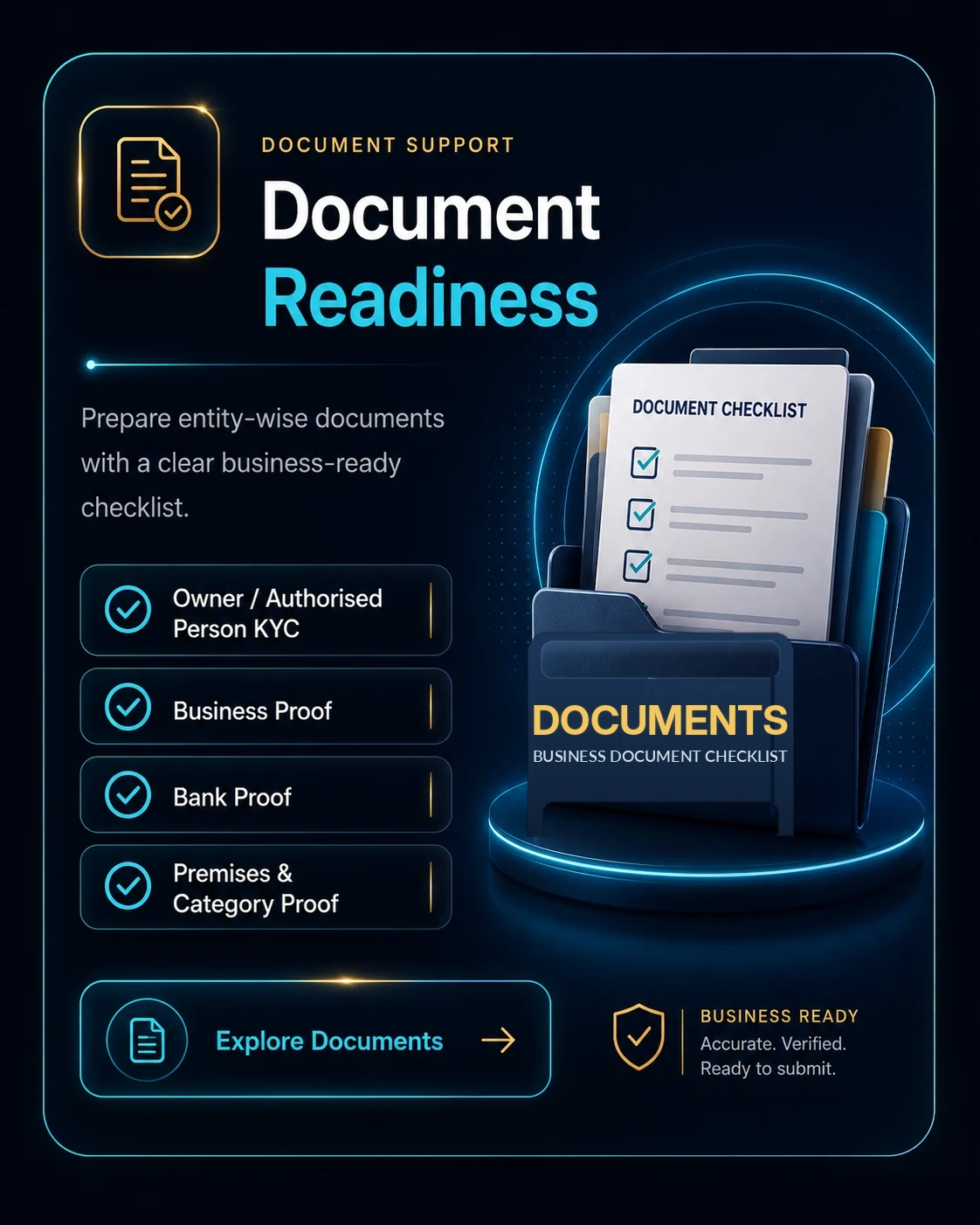
Document process cross-check: Keep PAN/KYC, business proof, settlement-bank proof, premises/shop photographs and category-specific licences ready as applicable. Exact documents differ by entity, business category, so the final checklist is confirmed during review.
DETAILED DOCUMENT CHECKLIST
Review the complete entity‑wise requirements below.
Document cards and entity checklists are updated with clear entity-wise requirements.
01
Owner / Authorised Person Details & KYC
Mobile Number
Email ID
PAN Card
Masked Aadhaar Card
Owner / Authorised Person Live Photo
Other accepted identity or address proof, if required
02
Business Proof
Proprietorship: GST Certificate, Labour Licence, Trade Licence or Udyam Registration Certificate
Partnership Firm, LLP and Private Limited Company: GST Certificate as the main business proof
Partnership Deed, Certificate of Incorporation, MOA, AOA or other entity-registration documents, as applicable
03
Applicable Bank Account Proof
All business applications: Current Account proof is compulsory
Partnership Firm, LLP, Private/Public Limited, OPC, HUF, Trust and NGO / Society: Current Account proof
For registered entities, keep Current Account proof with a cancelled cheque showing the printed entity / business name, or the latest bank account statement with bank seal, or a digital bank-statement PDF file where accepted
Bank proof must match the legal business name or accepted account-holder name
Bank Account Verification: Account number, IFSC code, bank name and beneficiary or account-holder name must be clearly visible
If the beneficiary or account-holder name does not match the business documents, additional bank confirmation may be required
04
Business Premises & Category Verification
Prepare clear premises photographs, a visible permanent display board and the applicable business-category documents before submitting the enquiry.
Business premises should be operational and accessible during verification
The registered business name and installation address should match the submitted documents
Applicable category licence or registration should be valid and clearly readable
A permanent business display board should clearly show the business or trade name at the premises
Additional verification information may be requested after review
BUSINESS PREMISES CHECKLIST
Prepare your premises for a clear verification review
Use the checklist below to keep the shop, display board, photographs and category documents ready in one organised set.
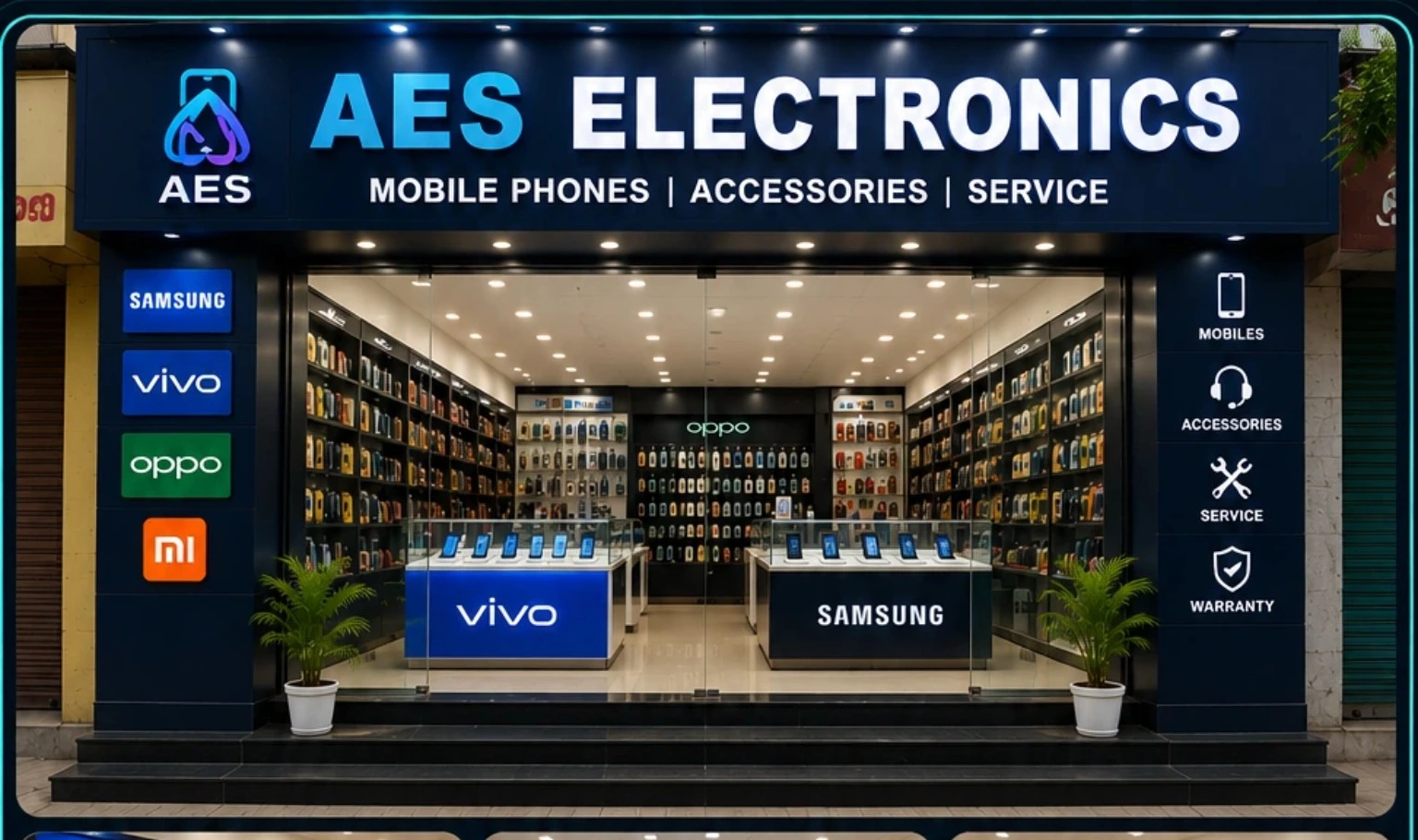
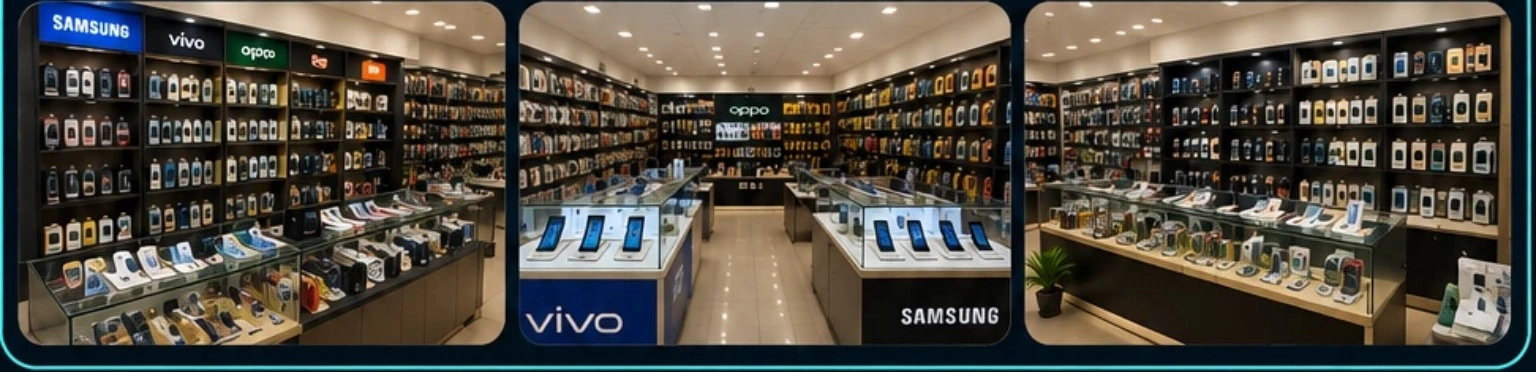
Outside Shop PhotographComplete shop front, entrance and permanent display board clearly visible.Inside Stock PhotographCounter, shelves, products, equipment and actual business activity clearly visible.
01
Outside Shop Photograph
Capture the complete front side of the premises
Keep the entrance open and clearly visible
Avoid cropped, dark, blurred or distant photographs
02
Inside Stock Photograph
Show the business counter or working area
Show shelves, products, equipment or service setup
The photograph should reflect the actual business activity
03
Permanent Display Board
Display the complete business name clearly
The board name should match the submitted business proof
Temporary handwritten banners may require clarification
04
Address & Document Match
Installation address and business details should match the submitted premises proof and applicable documents; any difference must be supported by accepted proof.
BUSINESS CATEGORY DOCUMENTS
Keep the applicable licence or registration ready
Requirements depend on the actual business activity and the documents available for review. GST Certificate + Current Account are compulsory for every business application.
Medical / Pharmacy
Latest Drug Licence — New Form A & Form B
Applicable establishment proof
GST Certificate
Current Account
Restaurant / Food Business
Relevant FSSAI registration
Food licence or applicable proof
GST Certificate
Current Account
Petroleum / Fuel Outlet
Dealership authorisation
Applicable supporting documents
Latest tanker / fuel-purchase invoice
OMC or authorised distributor proof
GST Certificate
Current Account
Hospital / Clinic
Applicable registration
Professional establishment proof
GST Certificate
Current Account
Educational Institution
Applicable recognition
Affiliation or registration proof
GST Certificate
Current Account
Hotel / Lodge
Applicable local registration
Business licence
GST Certificate
Current Account
Jewellery Business
Applicable trade registration
Category documents
GST Certificate
Current Account
Retail & Other Businesses
Category document where required
Applicable business-activity proof
GST Certificate
Current Account
BUSINESS DOCUMENT CHECKLIST
Choose your business entity
Select the business entity to view one clean, complete checklist. Labour Licence / Shops & Establishments Licence is included under Business proof for Individual / Unregistered and Proprietorship where applicable.
Individual PAN cardMasked Aadhaar card or another accepted identity and address proofRecent passport-size photo or selfie when requested
02
Business proof
Available proof supporting the business activity.
GST certificate — compulsory for this application flowUdyam / MSME certificate, if availableShop Establishment, Trade Licence or local registration, where applicableLabour Licence / Shops & Establishments Licence, where applicable
03
Bank proof
Settlement-account proof with readable details.
Current Account required for this application flowCancelled cheque with printed account-holder nameLatest bank statement with bank sealBank-statement PDF file, where acceptedAccount holder name and account details should be clear and valid
04
Premises & Category proof
Operating-address and activity-specific readiness.
Operating-address proof, where applicableClear inside and outside business photographs for physical storesCategory-specific licence where required
Proprietor PANMasked Aadhaar card or another accepted KYC proofOwner photograph / live photo or video KYC when requested
02
Business proof
Core registration and activity proof.
GST certificateUdyam / MSME certificateShop Establishment / Trade Licence, where applicableLabour Licence / Shops & Establishments Licence, where applicableFSSAI or any activity-based licence, where applicable
03
Bank proof
Proof matching the proprietor or approved business name.
Current Account required in the proprietor / business nameCancelled cheque with printed proprietor / business nameLatest bank statement with bank sealBank-statement PDF file, where acceptedBank proof should match the accepted proprietor or business name
04
Premises & photographs
Store-readiness and physical-location proof.
Business-premises proofClear inside and outside business photographsAdditional category document if requested
Registration and constitution documents of the firm or LLP.
Firm PAN or LLP PANPartnership Deed or LLP AgreementLLP Certificate of Incorporation / registration proof, where applicableGST certificate — keep ready where applicable to the business / entity
02
Partner / authorised-person KYC
Identity and authority of the application signatory.
Partner or designated-partner PANMasked Aadhaar card or another accepted KYC proofAny 1 partner / authorised-person photographAuthorisation letter or resolution, where required
03
Bank proof
Entity-name settlement-account proof.
Current Account required in the entity / business nameCancelled cheque with printed entity / business nameLatest bank account statement with bank sealDigital bank-statement PDF file, where acceptedAccount name, account number and IFSC should be clear and valid
04
Premises & Additional proof
Operating-location and supplementary documents.
Business-premises proofClear inside and outside business photographsBeneficial-owner details or additional authorisation if requested
LLP DocumentsEntity-wise document readiness
01
LLP registration
Core legal and constitution documents of the LLP.
LLP PANCertificate of Incorporation / LLP registration proofLLP AgreementGST certificate — compulsory for this application flow
02
Designated Partner KYC
Identity and authority of the authorised applicant.
Designated-partner / authorised-signatory PANMasked Aadhaar or accepted KYC proofAuthorisation / resolution where required
03
Bank proof
Settlement-account proof in the LLP name.
Current Account required in the entity / business nameCancelled cheque with printed entity / business nameLatest bank account statement with bank sealDigital bank-statement PDF file, where acceptedAccount name, account number and IFSC should be clear and valid
04
Premises & supporting proof
Operating-location and category-specific readiness.
Business-premises proofInside and outside business photographsCategory-specific licence where required
Company PANCertificate of IncorporationGST certificateRegistered-office proof
02
Constitution & authorisation
Documents establishing the company and authorised signatory.
MOAAOABoard Resolution or Power of AttorneyDirector / authorised-signatory PAN and accepted KYCAny 1 director / authorised-signatory photograph
03
Bank & Ownership proof
Company-name banking and ownership information.
Current Account required in the entity / business nameCancelled cheque with printed entity / business nameLatest bank account statement with bank sealDigital bank-statement PDF file, where acceptedAccount name, account number and IFSC should be clear and validBeneficial Owner / UBO declaration or shareholding declaration, where required
04
Premises & Category proof
Operating-location and activity-specific proof.
Business-premises proofClear inside and outside business photographs for physical locationsAny category-specific or bank-requested document
Public Limited DocumentsEntity-wise document readiness
01
Company registration
Corporate identity and registration records.
Company PANCertificate of IncorporationGST certificateRegistered-office proof
02
Constitution & authorisation
Corporate authority and application-signatory documents.
MOAAOABoard Resolution or Power of AttorneyAuthorised-signatory PAN and accepted KYC
03
Bank & Ownership proof
Entity-name banking and ownership records.
Current Account required in the entity / business nameCancelled cheque with printed entity / business nameLatest bank account statement with bank sealDigital bank-statement PDF file, where acceptedAccount name, account number and IFSC should be clear and validUBO / shareholding details, where required
04
Premises & Compliance proof
Operating-location and additional compliance records.
Business-premises proofClear inside and outside business photographs for physical locationsAdditional compliance document requested during review
OPC DocumentsOne Person Company document readiness
01
Company registration
Core OPC legal and registration documents.
Company PANCertificate of Incorporation / CIN detailsMOA and AOAGST certificate — keep ready where applicable to the business / entity
02
Director / Authorised Person KYC
Identity and authority of the authorised applicant.
Director / authorised-signatory PANMasked Aadhaar or accepted KYC proofBoard resolution / authorisation where required
03
Bank proof
Settlement-account proof in the company name.
Current Account required in the entity / business nameCancelled cheque with printed entity / business nameLatest bank account statement with bank sealDigital bank-statement PDF file, where acceptedAccount name, account number and IFSC should be clear and valid
04
Premises & compliance proof
Operating-location and business-category readiness.
Registered-office / business-premises proofInside and outside business photographs for physical locationsCategory-specific licence where applicable
HUF DocumentsEntity-wise document readiness
01
HUF Entity documents
Documents establishing the HUF structure.
HUF PANHUF deed or declaration / registration proof, where availableNames of the Karta and coparceners, where required
02
Karta KYC
Identity documents of the Karta.
Karta PANKarta’s Masked Aadhaar card or another accepted address proofAuthorisation or declaration when required
03
Business & Bank proof
Operating and settlement proof in the HUF name.
GST certificate — keep ready where applicable to the business / entityCurrent Account required in the entity / business nameCancelled cheque with printed entity / business nameLatest bank account statement with bank sealDigital bank-statement PDF file, where acceptedAccount name, account number and IFSC should be clear and valid
04
Premises & Supporting proof
Physical-location and supplementary documents.
Business-premises proofClear inside and outside business photographsAdditional declaration or relationship detail if requested
Trust DocumentsEntity-wise document readiness
01
Trust registration
Legal registration and organisation identity.
Trust PAN or organisation PANTrust Deed or Registration CertificateGST certificate — keep ready where applicable to the business / entityRegistered-address proof
02
Trustee / Authorised Person KYC
Identity and authority of the signatory.
Trustee or office-bearer PAN and accepted KYCAuthorisation letter or trustee resolutionBeneficial-owner or controller details, where required
03
Bank proof
Organisation-name settlement-account proof.
Current Account required in the entity / business nameCancelled cheque with printed entity / business nameLatest bank account statement with bank sealDigital bank-statement PDF file, where acceptedAccount name, account number and IFSC should be clear and valid
04
Premises & Extra proof
Office-readiness and supplementary documents.
Business / office premises proofClear inside and outside business or office photographsAdditional trustee declarations if requested
NGO / Society DocumentsNon-profit entity document readiness
01
Organisation registration
Core documents establishing the NGO or society.
Organisation PAN cardSociety Registration Certificate or Trust Deed, as applicableMOA, rules & regulations, bylaws or other constitution document, as applicableRegistered-office address proof
02
Authorised Person KYC
Identity and authority of the person handling onboarding.
Authorised signatory PAN cardMasked Aadhaar card or another accepted identity / address proofOwner / Authorised Person Live Photo, when requestedBoard / governing-body resolution or authorisation letter
03
Bank proof
Organisation-name settlement-account proof.
Current Account required in the entity / business nameCancelled cheque with printed entity / business nameLatest bank account statement with bank sealDigital bank-statement PDF file, where acceptedAccount name, account number and IFSC should be clear and valid
04
Compliance & Supporting proof
Additional non-profit, premises and activity documents where applicable.
12A / 12AB and 80G certificates, if applicableFCRA registration / approval only where foreign-contribution activity makes it applicableGST certificate — keep ready where applicable to the business / entity; activity-specific registration / licence as requiredOffice / premises proof and clear inside / outside photographs
Filling Station DocumentsFuel-outlet document readiness
01
Owner / Entity KYC
Identity and legal-business documents for the outlet operator.
Owner, partner, director or authorised-signatory PAN and accepted KYCEntity PAN, GST and registration documents, as applicableAuthorisation letter or board resolution where required
02
Dealership & Fuel Supply proof
Proof connecting the filling station to its authorised fuel supply.
OMC dealership, distributorship, allotment letter or operating agreementLatest tanker invoice or most recent fuel-purchase invoice issued by the OMC / authorised distributorRecent OMC statement, delivery challan or supply record when requested
03
Bank, premises & business proof
Settlement and operating-location readiness.
Cancelled cheque or recent current-account statementOutlet ownership, lease or site-possession proofClear forecourt, dispenser, signboard and inside / outside photographs
04
Licences & outlet approvals
Activity-specific approvals, where applicable to the outlet.
Petroleum-storage / PESO or Explosives Act licenceFire-safety NOC, pollution-control consent and legal-metrology records where requestedTrade Licence and other local authority approvals, as applicable
HIGH-VALUE • MULTI-OUTLET • MULTI-COUNTER
One Merchant Requirement. 1 to 50+ EDC Terminals.
Structured support for single stores, growing businesses, retail chains and multi-branch merchants across Telangana. Share the exact outlet and counter requirement once; our enquiry flow carries it to WhatsApp for sales follow-up.
Need a Smart EDC Terminal? Speak Directly on WhatsApp.
New terminal, additional counter, replacement or 5–50+ terminals across multiple outlets. Get rental/lifetime plan guidance, card and UPI acceptance information, EMI options and an installation discussion.
Complete six short steps. Your details are carried forward once and prepared for WhatsApp at Step 6.
WHAT HAPPENS NEXT
What Happens After the Merchant Sends an Enquiry?
Our specialist reviews your requirement and contacts you to discuss the suitable next step.
Step 01
Requirement reviewed
01
Business profile, entity, location, document status and terminal requirement are reviewed first.
Checks the business type and requirement shared in the enquiry
Looks at entity, district, premises and readiness status
Step 02
Missing details clarified
02
Any missing information or entity-wise document point is clarified before the process moves forward.
Helps clear missing business or document details
Avoids delays caused by incomplete information
Step 03
Eligibility review
03
Eligibility, bank details, documentation and the selected option are reviewed before processing.
Final terms depend on the merchant profile and completed review
Applicable conditions are reviewed here
Step 04
Installation coordinated
04
After approval and investment plan completion, installation coordination begins.
Setup starts only after approval and required completion steps
Timeline depends on verification, approval and merchant readiness
FAQ
Clear answers before you proceed.
Is terminal approval guaranteed?
No. Approval depends on applicable eligibility criteria, business category, documents, bank details and final verification.
How is A50 suitability confirmed?
A50 suitability is reviewed against the business requirement, mobility need, documentation and final approval.
When does installation start?
Installation coordination begins after approval and completion of the applicable investment plan and required documentation.
Are applicable conditions final?
No. Applicable conditions depend on the selected terminal, business profile, applicable eligibility criteria, eligibility and final approval.
Can I use my existing bank account for settlement?
An existing eligible bank account may be used, subject to applicable requirements, account type, business documents, verification and final approval.
Can I change my settlement bank account later?
A settlement-bank change may be possible after verification and final approval. Additional bank or business documents may be required.
How can I reconcile terminal transactions with bank settlements?
Available transaction and settlement reports can help compare payment activity with credited amounts. Reporting options depend on the enabled services.
What should I do if a transaction or settlement does not match my records?
Keep the transaction reference, date, amount and terminal details ready, then contact the applicable support channel so the transaction or settlement can be reviewed.
What details should I keep ready before enquiry?
Keep your business type, entity type, installation location, registered mobile number and basic document readiness information available.
Does submitting the form confirm installation?
No. The form records your enquiry for review. Eligibility, documents and installation location must be checked before the next step is confirmed.
TELANGANA MERCHANT EDC SUPPORT
EDC Terminal Enquiries Across All 33 Telangana Districts
Merchant enquiries, EDC sales assistance and on-site installation coordination are supported across all 33 Telangana districts based on merchant requirements. Hyderabad, Medchal-Malkajgiri, Rangareddy and Sangareddy remain our priority sales markets, while EDC support is available across Telangana.
New EDCAdditional TerminalReplacementRentalLifetimeMulti-CounterMulti-BranchBank & Brand EMI
EDC TERMINAL APPLICATION
Install theEDC Terminal Application
Use your browser menu and select Install app or Add to Home screen.